How to Set Spending Limits by Category (That You'll Actually Stick To)

You’re tracking your spending. You know your daily budget. You’re staying on track most of the time.
But there’s this one category that keeps getting away from you.
Maybe it’s dining out — those “quick” lunches that somehow cost $15 each. Maybe it’s Amazon — the cart that grows from “one thing” to “$87 somehow.” Maybe it’s groceries — a necessary expense that mysteriously doubles some weeks.
Your overall budget might be fine, but that category is the problem child.
Category spending targets are designed for exactly this situation. They give you visibility and limits on specific categories without complicating everything else.
Here’s how to use them effectively.
The Problem With “Just” a Daily Budget
Don’t get me wrong — the daily budget is powerful. It tells you what you can spend today, right now, across all categories. For most spending decisions, that’s all you need.
But sometimes the daily budget hides a pattern:
| Scenario | Daily Budget Says | Reality |
|---|---|---|
| $120 dinner on Saturday | ”You spent your day’s budget plus some of tomorrow’s” | You’ve had 4 expensive dinners this month totaling $380 |
| $85 Amazon order | ”You’re $30 over today” | Third Amazon order this week — pattern? |
| $200 grocery trip | ”Big day, but tomorrow adjusts” | Your groceries have increased 40% over 3 months |
The daily budget sees each expense in isolation. Category targets see the pattern across time.
Category Targets vs Traditional Category Budgeting
Before we go further, let’s be clear about what category targets are not.
Traditional category budgeting (like envelope budgeting or zero-based budgeting) requires you to allocate every dollar to a category before you spend. Every purchase must fit a predetermined box. If your “dining out” envelope is empty, you don’t eat out — period.
This works for some people. For many others, it’s too rigid and too much overhead.
Category targets in BUDGT are different:
| Traditional Categories | BUDGT Category Targets |
|---|---|
| Must pre-allocate every dollar | Optional — set only where you want |
| Rigid limits that block spending | Informational limits that guide spending |
| Every category needs a budget | Most categories stay flexible |
| Complex setup and maintenance | Simple: pick category, set number |
Category targets are awareness tools, not restrictions. Your daily budget is still your primary guide. Category targets just add visibility where you want it.
When to Use Category Targets
Category targets make sense when:
-
One category keeps surprising you. You didn’t realize you were spending $200/month on coffee until you added it up.
-
You want to reduce a specific expense. You’ve decided dining out should be $150/month, not $250. A target helps you track progress.
-
You’re splitting a category you share. Groceries for a family might have a different target than personal entertainment.
-
You need accountability for a “danger zone.” Online shopping, hobby spending, or any category where impulse takes over.
Category targets are optional. Many people use BUDGT for months with zero category targets — the daily budget alone is enough. Others set 2-3 targets for their problem categories. Very few need targets on everything.
How to Set Realistic Category Targets
Here’s the process that actually works:
Step 1: Review Past Spending (No Judgement)
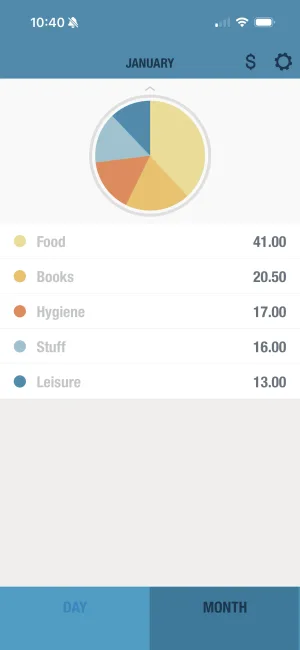
Before setting a target, know where you’re starting. BUDGT shows your spending by category for the current month and previous months.
Look at the last 2-3 months:
| Category | Last Month | 2 Months Ago | 3 Months Ago | Average |
|---|---|---|---|---|
| Dining Out | $280 | $240 | $320 | ~$280 |
| Groceries | $420 | $380 | $400 | ~$400 |
| Entertainment | $120 | $180 | $90 | ~$130 |
Don’t judge the numbers yet. Just observe. This is your baseline.
Step 2: Decide on a Realistic Target
Now, how much do you want to spend on this category?
The key word is realistic. Setting “Dining Out: $50” when you’re averaging $280 is a recipe for failure and frustration.
Better approach:
| Current Average | Reasonable First Target | Why |
|---|---|---|
| $280/month | $220-250/month | 10-20% reduction is achievable |
| $400/month | $350-380/month | Gradual improvement, not perfection |
| $130/month | Keep flexible | If it’s not a problem, don’t add friction |
Step 3: Set the Target and Track
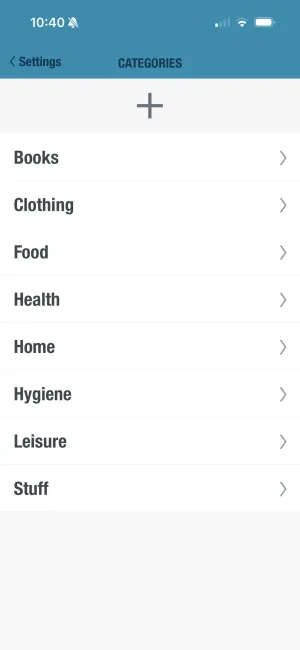
In BUDGT:
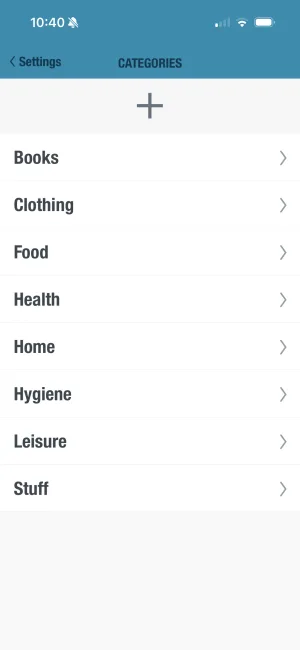
- Go to Categories
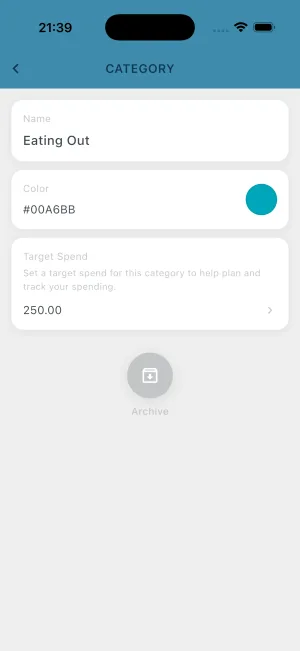
- Select the category you want to target
- Set your monthly spending target
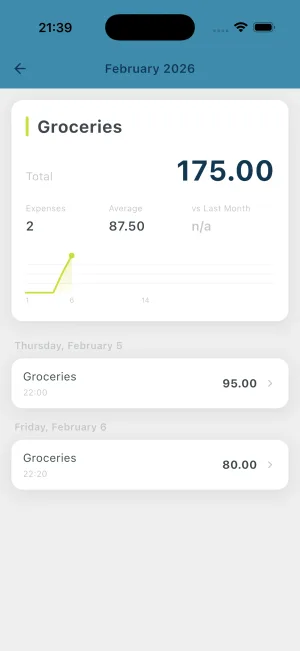
- The category now shows progress vs your target
Step 4: Review and Adjust
After a month, look at the results:
- Hit the target: Nice. Keep it, or try reducing further.
- Slightly over: Normal. Keep the target; you’ll do better next month.
- Way over: Target was too aggressive. Set something achievable first.
- Way under: Target might be unnecessary — this category isn’t your problem.
Category targets aren’t set-and-forget. They’re tools you adjust as your habits change.
Calculate Category Targets From Your Budget
After fixed expenses and savings
Enter your numbers above - results update automatically
Common Category Target Strategies
The “Top 2” Approach
Most people have 1-2 categories that cause problems. Target those, ignore the rest.
Example: You’re fine with everything except dining out and online shopping. Set targets for those two; leave groceries, gas, and entertainment flexible.
Why it works: Minimal overhead, maximum impact. You’re not managing a complex category system — you’re putting guardrails on your specific problem areas.
The “Essential vs Discretionary” Split
Some people find it helpful to separate necessary spending from optional spending:
| Type | Categories | Target Strategy |
|---|---|---|
| Essential | Groceries, gas, household supplies | Set a reasonable target based on needs |
| Discretionary | Dining out, entertainment, shopping | Divide remaining budget among these |
Example: $1,600/month discretionary. Groceries: $400. Gas: $150. The remaining $1,050 is for all discretionary categories, which you might further split as dining ($200), entertainment ($100), personal ($200), leaving $550 completely flexible.
The “Gradual Reduction” Method
If a category is significantly over what you want to spend, reduce gradually over 3-6 months:
Example: Dining out
| Month | Current Spend | Target | Reduction |
|---|---|---|---|
| Month 1 | $280 | $250 | -$30 |
| Month 2 | $250 | $220 | -$30 |
| Month 3 | $220 | $200 | -$20 |
| Month 4 | $200 | $180 | -$20 |
Each month’s target is slightly lower than the previous. The reductions are small enough to be sustainable.
Category Targets + Daily Budget: Double Protection
Here’s how category targets and daily budgets work together:
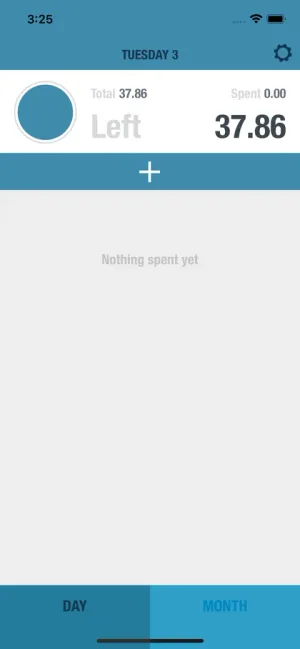
Daily budget: Your real-time spending governor. Before every purchase, you see what’s safe to spend today.
Category target: Your category-specific awareness layer. Before a dining purchase, you see how close you are to your monthly dining target.
Together, they answer two questions:
- Can I afford to spend money right now? → Daily budget
- Have I been spending too much in this category? → Category target
Neither replaces the other. The daily budget is your primary tool; category targets are an optional enhancement for specific areas.
Practical Examples
Example 1: Recovering from Overspending on Dining
Situation: You’re averaging $300/month on dining out. You want to reduce to $180 to boost savings.
Approach:
- Month 1: Set target to $260 (13% reduction)
- Review what’s driving it — work lunches? Date nights? Convenience?
- Month 2: Reduce to $230 if Month 1 was successful
- Continue until you hit $180 or find a sustainable level
Example 2: Single Parent Managing Tight Groceries
Situation: Groceries for a family of 3 on a tight budget. You have $450/month but keep hitting $500+.
Approach:
- Set target at $450 (your actual budget)
- Review weekly: are you on track for the month?
- Identify expensive weeks — what was different?
- Adjust shopping habits based on what the data shows
Example 3: Controlling Amazon Impulse Purchases
Situation: You buy “one thing” and somehow spend $150. This happens multiple times per month.
Approach:
- Set an “Online Shopping” category target of $100/month
- Before adding to cart, check where you are against the target
- The pause creates awareness — often enough to skip impulse buys
When Category Targets Don’t Help
Be honest about whether a category target will actually help:
| Situation | Category Target Help? |
|---|---|
| You have 1-2 problem categories | Yes — targeted awareness |
| You generally overspend everywhere | No — work on daily budget first |
| You want detailed category accounting | Consider a different app (YNAB) |
| You need rigid limits that block purchases | No — targets are informational |
| You want to understand patterns, then adjust | Yes — exactly the use case |
Category targets are awareness tools, not willpower replacements. If you consistently blow through targets without behavioral change, the issue might be elsewhere — income vs expenses mismatch, emotional spending, or unrealistic expectations.
Getting Started
If you want to try category targets, start simple:
- Pick ONE category — your biggest problem area
- Review past spending — know your baseline
- Set a realistic target — 10-20% below current, not 50%
- Track for one month — see how you do
- Adjust and decide — keep the target, modify it, or remove it
One category. One month. See what happens. You can always add more targets later if it helps.
Frequently Asked Questions
What are category spending targets?
Category spending targets are optional limits you set for specific spending categories (like dining out or groceries). They give you finer control over where your money goes, while your overall daily budget remains your primary guide.
How do category targets differ from traditional category budgeting?
Traditional category budgeting requires pre-allocating money to every category before spending. Category targets in BUDGT are optional overlays — you set them only where you want extra visibility, without complicating your overall daily budget.
Do I need to set a target for every category?
No. Category targets are optional. Many people only set targets for their top 2-3 problem categories — like dining out or impulse shopping — while leaving everything else flexible.
What happens if I exceed a category target?
Category targets are informational, not blocking. If you exceed a target, you'll see the overage in your category view. Your daily budget is what actually determines if you're staying on track overall.
How do I decide what number to use for a category target?
Review your past spending in that category (BUDGT shows your category breakdown), then set a target slightly below your current average. Gradual reduction is more sustainable than drastic cuts.
Can category targets help with impulse spending?
Yes. Seeing a category target (like 'Dining Out: $150/month') before making a purchase creates a moment of awareness. Many people find this pause is enough to reconsider impulse purchases.
Related Articles



Ready to take control of your budget?
Download BUDGT and start tracking your daily spending today.