Simple Budget Method: The One-Account System to Save More

You’ve probably heard that you need multiple bank accounts, automatic transfers, and sophisticated apps to manage your money properly. The advice sounds smart—until you try to follow it and find yourself more confused than when you started.
Here’s the truth: complex budgeting systems fail most people. Not because people lack discipline, but because complicated systems require too much mental energy to maintain.
The one-account budget method offers a different approach: radical simplicity. One checking account. One tracking app. Complete control over your money without the overwhelm.
Why Complex Budgeting Systems Fail
Before exploring the one-account method, let’s understand why traditional budgeting advice often backfires.
Common budgeting advice vs. reality:
| Advice | The Promise | What Actually Happens |
|---|---|---|
| Open 5+ bank accounts | ”Automatic” money management | Confusion, transfer fees, mental overhead |
| Use detailed apps with bank syncing | Effortless tracking | Privacy concerns, syncing errors, feature overload |
| Create 15+ spending categories | Perfect visibility | Decision fatigue, analysis paralysis |
| Automate everything | Set it and forget it | Forgetting where money went, overdrafts |
| Zero-based budgeting | Account for every penny | Burnout within 2-3 months |
The real cost of complexity:
Why Complex Budget Systems Fail
Studies show that 65-80% of people who start complex budgeting systems abandon them within three months. The problem isn’t willpower—it’s system design.
The One-Account Budget Method Explained
The one-account method strips budgeting down to its essential elements:
Core principles:
| Element | Traditional Approach | One-Account Approach |
|---|---|---|
| Bank accounts | 3-7 accounts | 1 main checking account |
| Tracking method | Auto-sync, multiple apps | Manual entry in one app |
| Category system | 10-20+ categories | 4-6 broad categories |
| Automation | Everything automated | Manual and intentional |
| Time required | 30-60 min/week | 2-5 min/day |
| Mental overhead | High | Minimal |
How it works:
- All income goes into one checking account
- You track spending manually in BUDGT
- You set a daily spending limit based on your budget
- You make decisions based on real-time awareness
- Surplus money transfers to savings when you’re ready
That’s it. No complex rules. No multiple accounts to juggle. No automation to troubleshoot.
Why Manual Tracking Beats Automation
This might seem counterintuitive in our automated world, but manual expense tracking is actually more effective than automatic syncing.
Benefits of manual tracking:
| Factor | Automatic Tracking | Manual Tracking |
|---|---|---|
| Awareness | Low (happens in background) | High (you enter each expense) |
| Accuracy | Depends on sync reliability | You control the data |
| Privacy | Bank data shared with apps | Complete privacy |
| Speed | Delayed by days | Real-time updates |
| Behavior change | Minimal (passive) | Significant (active) |
| App dependency | High (if sync breaks, system breaks) | Low (works offline) |
The psychology of manual entry:
When you manually enter an expense, your brain processes the transaction differently. You feel the money leaving. This awareness naturally reduces unnecessary spending—research shows manual trackers spend 15-20% less than those who rely on automatic tracking.
Setting Up Your One-Account Budget
Choose Your Main Account
Select one checking account as your financial hub. All income flows in, all spending flows out. Close or ignore other accounts you've been juggling.
Calculate Your Monthly Income
Add up all reliable income after taxes. If your income varies, use your average from the past 3-6 months or your minimum expected amount.
List Fixed Expenses
Identify bills that stay the same each month: rent, utilities, insurance, subscriptions. These come off the top before your spending budget.
Set Your Daily Budget
Subtract fixed expenses from income, divide by days in the month. This is your daily spending limit for everything else—groceries, gas, entertainment, everything.
Create 4-6 Simple Categories
Broad categories like Food, Transportation, Fun, and Other are enough. Don't overcomplicate with 15+ categories—that leads to decision fatigue.
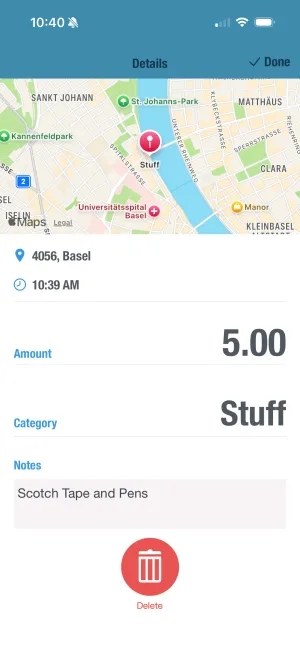
Track Daily in BUDGT
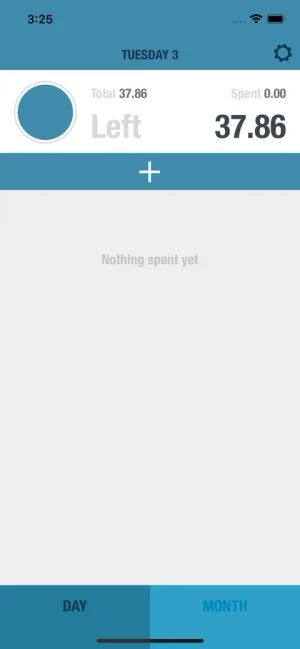
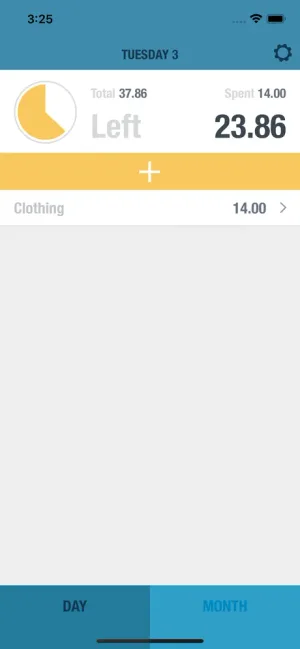
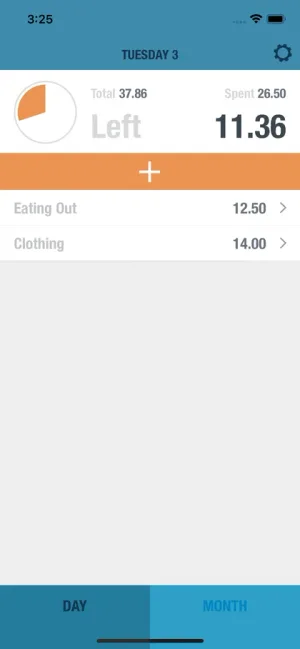
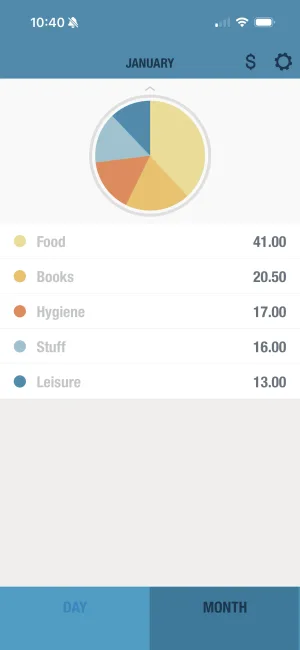
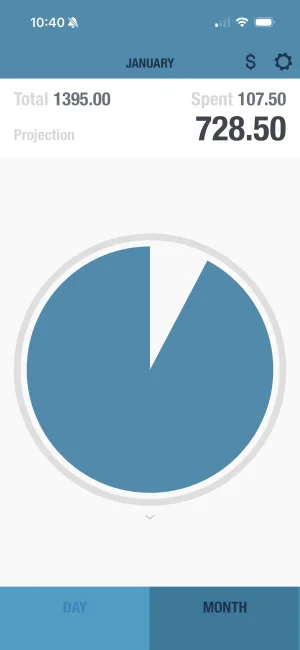
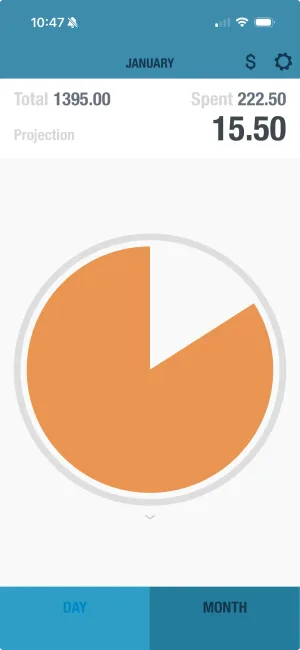
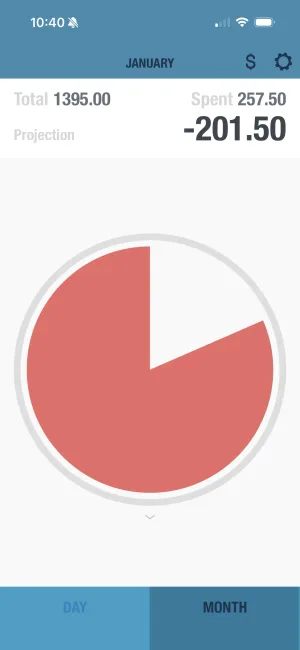
Enter each expense as it happens. Takes under 10 seconds. The app shows if you're in the safe zone (blue), on track (yellow), or need to slow down (orange).
Calculating Your Daily Budget
The daily budget is the heart of this system. Here’s how to calculate yours:
Basic calculation:
| Step | Example |
|---|---|
| Monthly take-home income | $4,000 |
| Minus: Rent/mortgage | -$1,200 |
| Minus: Utilities | -$200 |
| Minus: Insurance | -$150 |
| Minus: Subscriptions | -$50 |
| Minus: Debt payments | -$300 |
| Minus: Savings goal | -$200 |
| = Available for daily spending | $1,900 |
| Divided by 30 days | $63/day |
Your daily spending limit includes:
| Included in Daily Budget | NOT Included (Fixed) |
|---|---|
| Groceries | Rent/mortgage |
| Gas/transportation | Utilities |
| Dining out | Insurance premiums |
| Entertainment | Loan payments |
| Personal care | Automatic savings |
| Household items | Subscriptions |
| Misc purchases |
Adjusting for your lifestyle:
| Situation | Adjustment |
|---|---|
| Weekly grocery shop | Budget extra on shopping days |
| Gas fill-ups | Spread cost across days until next fill |
| Variable income | Use minimum expected income |
| Irregular expenses | Divide annual cost by 12, include monthly |
The Power of Visual Feedback
One reason simple systems work is immediate feedback. You know exactly where you stand at all times.
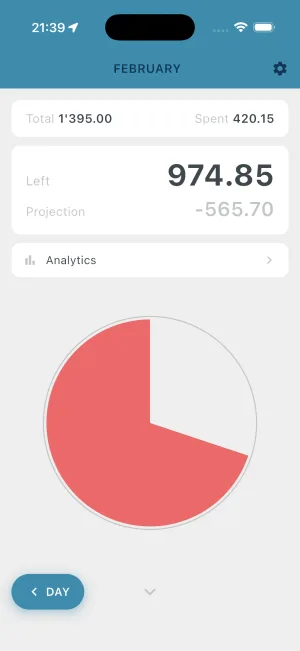
BUDGT’s color system:
| Color | Meaning | Action |
|---|---|---|
| Blue | Under budget for today | Spend freely within reason |
| Yellow | Near your daily limit | Be mindful of additional spending |
| Orange | Over today’s limit | Stop discretionary spending |
| Green (projection) | On track for month-end surplus | Keep doing what you’re doing |
| Red (projection) | Heading toward overspending | Tighten up remaining days |
Why visual feedback works:
- No math required in the moment
- Instant decision support
- Emotional rather than analytical
- Easy to check before any purchase
- Prevents “I’ll figure it out later” thinking
Daily Budget Awareness Impact
Research shows people who track daily spending with visual feedback spend 15-20% less than those who don’t track—without feeling more restricted.
Simple Category System
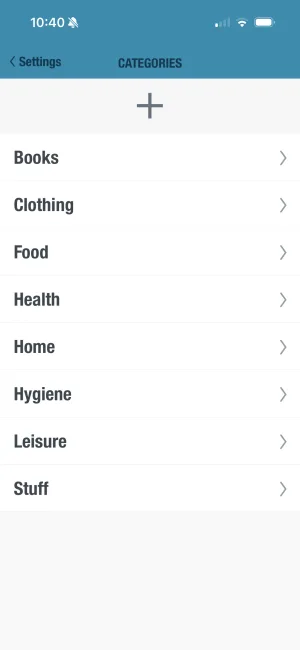
Forget 15+ categories. Here’s all you need:
Recommended categories:
| Category | What It Includes | Why It Works |
|---|---|---|
| Food | Groceries, dining out, coffee | One category for all eating |
| Transportation | Gas, parking, transit, rideshare | All getting-around costs |
| Fun | Entertainment, hobbies, social | Guilt-free discretionary |
| Home | Household items, cleaning, repairs | Non-food home spending |
| Personal | Clothes, haircuts, health items | Self-care spending |
| Other | Everything else | Catch-all for rare expenses |
Why fewer categories work better:
| More Categories | Fewer Categories |
|---|---|
| Decision fatigue at every purchase | Quick categorization |
| Time spent recategorizing | More time living your life |
| Analysis paralysis | Clear big-picture view |
| Perfect data, unused | Useful data, actually reviewed |
| Feels like accounting | Feels like awareness |
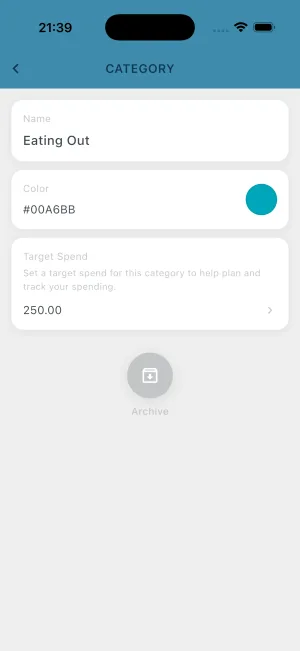
You can always add categories later if you notice a specific spending pattern you want to track. But start simple.
Handling Irregular Expenses
One challenge with any budget is irregular expenses—car insurance, annual subscriptions, holiday spending. Here’s how to handle them with the one-account method:
Option 1: Monthly allocation
| Irregular Expense | Annual Cost | Monthly Set-Aside |
|---|---|---|
| Car insurance | $600 (2x/year) | $100/month |
| Amazon Prime | $139/year | $12/month |
| Holiday gifts | $500/year | $42/month |
| Car maintenance | $600/year | $50/month |
| Total | $1,839 | $153/month |
Subtract this from your monthly budget and let it accumulate in your checking account. When the bill comes, the money is there.
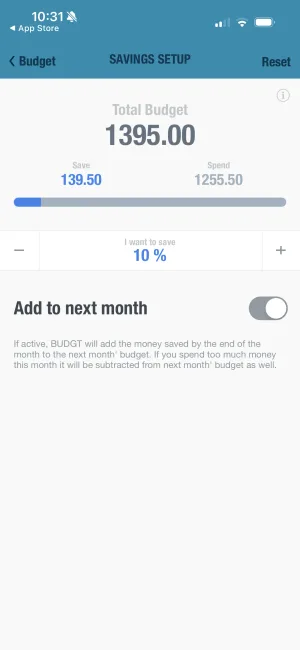
Option 2: Use BUDGT’s Savings Mode
Set a savings goal for known irregular expenses. The app tracks your progress and ensures you have funds ready when needed.
Option 3: Absorb into daily budget
For smaller irregular expenses, simply absorb them into your daily spending when they occur. If your daily budget is $60 and you have a $30 unexpected expense, you’re using half a day’s budget—manageable.
The One-Account Method in Practice
Week 1: Getting started
| Day | Action | Time |
|---|---|---|
| Day 1 | Calculate your daily budget | 15 min |
| Day 2-7 | Track every expense in BUDGT | 2-5 min/day |
| End of week | Review spending patterns | 5 min |
Typical daily routine:
| When | What | Time |
|---|---|---|
| Morning | Check daily budget in BUDGT | 10 sec |
| After each purchase | Log expense | 10 sec |
| Before unplanned purchase | Check if you’re in the blue | 5 sec |
| Evening | Quick review of day’s spending | 30 sec |
Total daily time: 1-2 minutes
Compare this to complex systems requiring weekly reconciliation sessions, transfer scheduling, and multi-app management.
Common One-Account Questions
“What about overdraft protection?”
The one-account method actually reduces overdraft risk because you always know your true balance. Unlike multiple-account systems where you might forget about a pending transfer, one account means one number to track.
“Should I still use a credit card?”
You can, but treat it like cash:
- Log purchases immediately in BUDGT
- Pay the balance in full each month
- Don’t count available credit as “money you have”
“What if I share finances with a partner?”
This system works well for couples:
- Both partners log expenses to the same BUDGT budget
- One account means one number both people track
- Simpler than coordinating multiple accounts
“How do I handle large purchases?”
Plan them in advance:
- Identify the expense and amount
- Calculate how many days of budget it equals
- Reduce daily spending leading up to it
- Or use Savings Mode to set aside money over time
One-Account Method vs. Other Systems
Comparison with popular budgeting methods:
| Method | Complexity | Time Required | Success Rate | Best For |
|---|---|---|---|---|
| One-Account | Low | 1-2 min/day | High | Most people |
| Envelope System | Medium | 15-30 min/week | Medium | Cash lovers |
| Zero-Based | High | 1-2 hours/month | Low-Medium | Detail-oriented |
| Multiple Accounts | High | 30-60 min/week | Low | Tech enthusiasts |
| 50/30/20 Rule | Low | Varies | Medium | Beginners |
Why one-account wins for most people:
| Factor | One-Account Advantage |
|---|---|
| Simplicity | Fewest moving parts |
| Sustainability | Easy to maintain long-term |
| Flexibility | Adapts to life changes |
| Privacy | No bank linking required |
| Speed | Minimal daily time investment |
Building Your Savings
Simple budgeting isn’t just about tracking—it’s about building wealth. Here’s how savings fits into the one-account method:
The savings process:
- Include savings as a “fixed expense” in your budget
- Leave it in your checking account initially
- Transfer to savings when the amount grows
- Or set up a monthly auto-transfer after your system is stable
Recommended savings approach:
| Stage | What to Do |
|---|---|
| Month 1-2 | Focus only on tracking and staying within budget |
| Month 3 | Add a small savings goal ($25-50/month) |
| Month 4+ | Increase savings as you find extra money |
| Ongoing | Adjust savings goal based on actual surplus |
Why this works:
Traditional advice says “pay yourself first” and automate savings. But if you don’t know where your money goes, you might automate savings and then overdraft on expenses. The one-account method ensures you understand your cash flow before committing to savings—making your savings sustainable.
What to Expect: Your First 90 Days
Month 1: Awareness
| Week | Focus | Result |
|---|---|---|
| Week 1 | Setting up system | Clarity on daily budget |
| Week 2 | Building tracking habit | Awareness of spending patterns |
| Week 3-4 | Staying within limits | First full month of control |
Most people feel more in control within the first week, even before changing spending habits.
Month 2: Adjustment
- You’ll naturally spend less in some areas
- You’ll identify spending that doesn’t match your values
- You’ll start finding money you didn’t know you had
- The system becomes automatic
Month 3: Results
| Outcome | What You’ll Notice |
|---|---|
| Financial control | Knowing exactly where you stand |
| Reduced stress | No more guessing about money |
| Surplus | Money left at month’s end |
| Confidence | Ability to handle unexpected expenses |
| Simplicity | Budgeting in minutes, not hours |
Making It Stick Long-Term
The one-account method works because it’s sustainable. Here’s how to ensure it becomes a permanent habit:
Keys to long-term success:
| Strategy | Why It Works |
|---|---|
| Check BUDGT before purchases | Creates a pause before spending |
| Log expenses immediately | Prevents forgetting and catch-up sessions |
| Weekly 5-minute review | Maintains awareness without overwhelm |
| Forgive imperfect days | Prevents all-or-nothing quitting |
| Adjust budget as life changes | System grows with you |
When to adjust your system:
- Income changes (raise, job loss, side income)
- Major life changes (moving, new baby, etc.)
- After 3+ months of consistent surplus (increase savings)
- After 3+ months of consistent overspending (reassess expenses)
Start Simple, Stay Simple
Budgeting doesn’t have to be complicated to be effective. The one-account method proves that the simplest system is often the best system—because you’ll actually use it.
One account. One app. Daily awareness. That’s all you need to transform your finances.
The sophisticated multi-account systems will always exist for people who enjoy complexity. But if you’ve tried those approaches and found them exhausting, there’s nothing wrong with choosing simplicity.
Your money, your rules, your one simple system.
Start today: calculate your daily budget, download BUDGT, and begin tracking. Within a week, you’ll wonder why you ever made budgeting so complicated.
Frequently Asked Questions
Is the one-account budget safe for people with variable income?
Yes—in fact, it can be especially helpful. Since you're tracking spending manually and setting flexible limits in BUDGT, you can quickly adjust your budget month-to-month based on your actual income, without needing to rewire a complicated system. When income varies, simplicity becomes even more important.
Do I need to give up my savings account to use the one-account method?
Not at all. You can still move money into savings—the key idea is to manage your day-to-day spending through one main checking account. You'll track your plan in BUDGT and transfer surplus to savings manually when you're ready. The one-account approach simplifies daily decisions, not your entire financial structure.
How is this better than using multiple accounts or automatic rules?
Multiple accounts and automation sound good in theory, but they often create confusion and friction in daily money management. The one-account method keeps things visible and under control. Paired with BUDGT, you stay intentional with every dollar you spend without the mental overhead of tracking multiple balances.
What if I forget to log a transaction in BUDGT?
That's okay! BUDGT is designed to be quick and forgiving. If you miss a day, just add the expenses later—or set a weekly reminder to catch up. Most users find that entering a transaction takes under 10 seconds. Consistency matters more than perfection, and the app makes catching up easy.
Can I use the one-account budget if I have joint finances or a partner?
Yes, with a small tweak. You and your partner can both log expenses into the same BUDGT budget using a shared device. The simplicity of one account actually makes shared money management easier to talk about and track. Fewer accounts means fewer things to reconcile and discuss.
How quickly will I see results from this budgeting method?
Most users report feeling more in control of their money within the first week—and start seeing real savings after the first full month of consistent tracking. The key is consistency, not perfection. Simple systems are easier to stick with, which is why they produce results faster.
What's the difference between the one-account method and envelope budgeting?
Envelope budgeting divides your money into physical or digital 'envelopes' for each category. The one-account method keeps all your money together but tracks spending by category in an app like BUDGT. One-account is simpler because you don't need to manage transfers between envelopes or worry about over-drafting individual categories.
How many categories should I use in my one-account budget?
Keep it simple: 4-6 broad categories work best for most people. Think 'Food,' 'Transportation,' 'Fun,' 'Bills,' and 'Other.' Too many categories creates decision fatigue. The goal is quick categorization, not perfect accounting. You can always refine categories after a few months of tracking.
Does the one-account method work if I use credit cards?
Yes, but with discipline. Log credit card purchases in BUDGT immediately as if you spent cash. Pay your credit card balance in full each month from your checking account. The key is treating credit card spending as real money, not 'extra' money. If you struggle with credit card debt, consider going cash-only during your transition period.
What if I have irregular expenses like car insurance or annual subscriptions?
Include irregular expenses in your monthly budget by dividing their annual cost by 12. If car insurance is $600 every six months, budget $100/month and let it accumulate. BUDGT's daily tracking helps ensure you have money available when these bills come due. You can also use the Savings Mode feature to set aside funds for known irregular expenses.
Related Articles


Ready to take control of your budget?
Download BUDGT and start tracking your daily spending today.