BUDGT 13.5: Dark Mode Is Finally Here
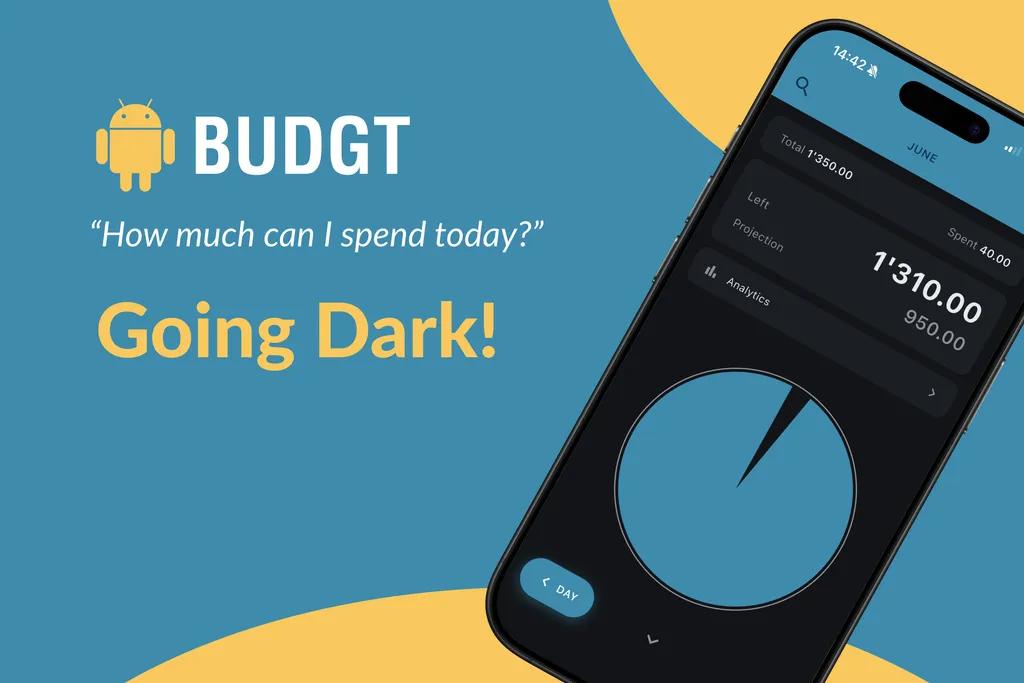
It’s the feature you’ve been asking for since 2019. Every App Store review mentioning it. Every support email requesting it. Every Reddit comment wondering when it would finally arrive.
Today, it’s here. BUDGT 13.5 brings dark mode.
Why Dark Mode Took So Long
Let me be honest: dark mode wasn’t simple to add.
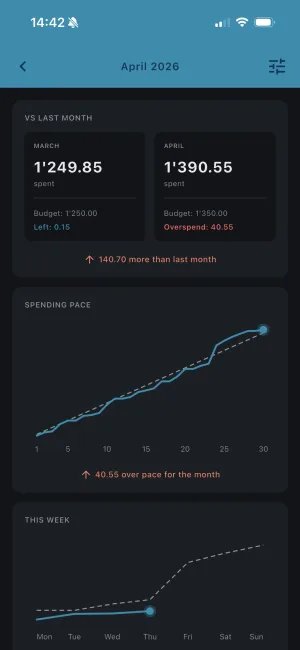
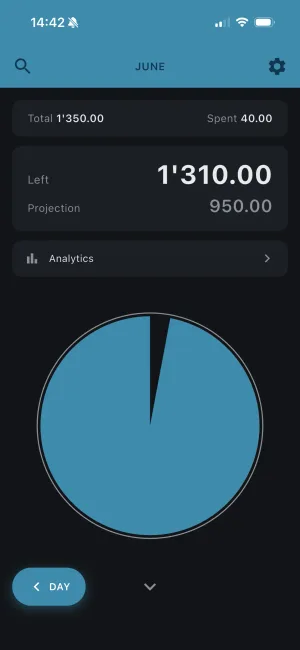
When I rebuilt BUDGT from scratch for version 13 earlier this year, I knew dark mode would need to be part of the foundation — not bolted on as an afterthought. The entire color system had to work in both themes. Charts, graphs, the budget indicator, every button and every screen.
| Element | Light Mode | Dark Mode |
|---|---|---|
| Budget indicator (blue/yellow/orange/red) | Vibrant on white | Glows on dark |
| Category pie chart | Classic look | Rich, immersive |
| Analytics graphs | Clean, minimal | Easy on eyes at night |
| Text and labels | Dark on light | Light on dark |
Getting this right meant testing every screen in both modes, adjusting colors for contrast and readability, and making sure the experience felt native to both themes.
It took time. But I think you’ll agree it was worth the wait.
Three Ways to Use It
You’re in control of how BUDGT looks:
| Setting | What It Does |
|---|---|
| Light | Classic bright theme, always on |
| Dark | Dark theme, always on |
| System | Follows your phone’s setting automatically |
The System option is what most people will want. Your phone already switches between light and dark mode based on time of day or your preferences — now BUDGT matches.
If you’re someone who keeps dark mode on 24/7 (I’m one of you), just set it to Dark and forget about it.
Why Dark Mode Matters
This isn’t just about aesthetics. Dark mode brings real benefits:
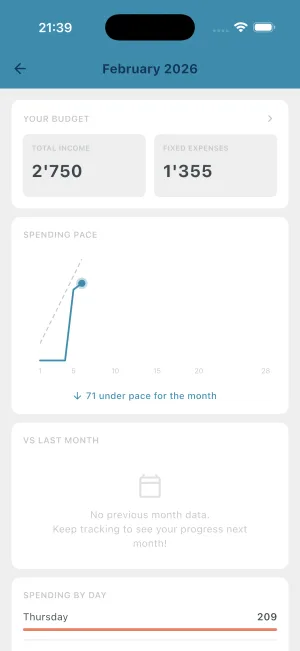
Easier on your eyes — Checking your budget before bed? Dark mode reduces eye strain in low-light conditions. No more blinding white screen at midnight.
Better for OLED screens — Modern iPhones and Android devices use OLED displays where black pixels are actually turned off. Dark mode can reduce battery consumption, especially if you check BUDGT frequently.
Less visual noise — The dark background lets your budget numbers stand out. The color-coded feedback (blue, yellow, orange, red) actually looks more vibrant against a dark canvas.
Personal preference — Some people simply prefer dark interfaces. Now you have the choice.
Bonus: Daily Streaks
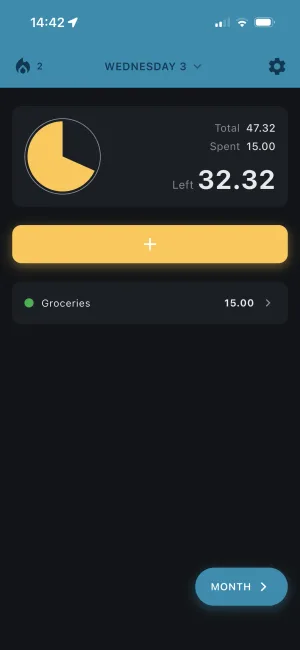
While dark mode is the headline feature in 13.5, there’s another addition worth mentioning: streaks.
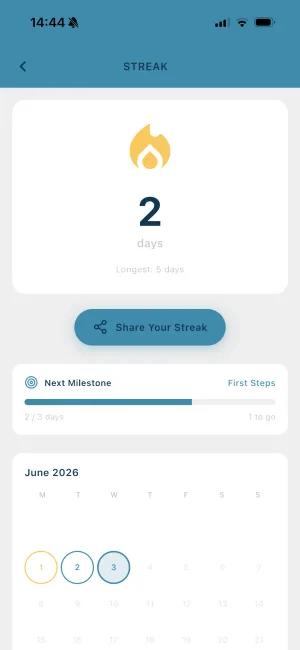
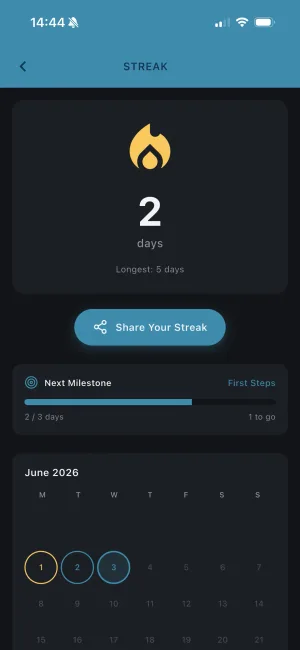
The new streak feature tracks how many consecutive days you’ve logged an expense in BUDGT. It’s a small thing, but it addresses a real challenge: staying consistent with expense tracking.
| Streak Milestone | Achievement |
|---|---|
| 7 days | First week |
| 30 days | One month strong |
| 100 days | Seriously committed |
| 365 days | A full year of tracking |
When you hit a milestone, you can share it with friends or just enjoy the quiet satisfaction of building a habit. And if you miss a day? The streak resets, but your expense history doesn’t — just pick back up where you left off.
How to Update
If you’re already using BUDGT:
- Open the App Store
- Go to your account (top right)
- Pull down to refresh updates
- Install BUDGT 13.5
That’s it. Your data stays exactly where it is. The update just adds the new appearance settings and streak tracking.
If you’re new to BUDGT, download it from the App Store and enjoy dark mode from day one.
What’s Still Coming
Dark mode and streaks are just the beginning of what the BUDGT 13 foundation enables. Here’s what’s on the roadmap:
| Feature | Status |
|---|---|
| Dark mode | ✅ Live in 13.5 |
| Daily streaks | ✅ Live in 13.5 |
| Apple Watch app | In development |
| More analytics insights | Based on feedback |
The Flutter rebuild earlier this year made all of this possible. Every feature requested over the past decade is now achievable — we’re just working through them one at a time.
Thank You for Your Patience
To everyone who has asked for dark mode over the years: thank you for waiting. Thank you for continuing to use BUDGT. And thank you for trusting a simple app to help you answer the most important daily question: “Can I afford this?”
Now you can answer it in dark mode.
Download BUDGT on the App Store
Using dark mode? I’d love to hear what you think. Drop a review on the App Store or reach out through the app.
Frequently Asked Questions
Does BUDGT have dark mode?
Yes! Starting with version 13.5, BUDGT supports full dark mode. You can choose light theme, dark theme, or let the app follow your device's system setting automatically.
How do I enable dark mode in BUDGT?
Open BUDGT, go to Settings, and look for Appearance. You'll see three options: Light, Dark, or System (automatic). Choose Dark for always-on dark mode, or System to match your phone's setting.
Does dark mode work with all BUDGT features?
Yes. Every screen in BUDGT has been designed for dark mode — the day view, month view, analytics dashboard, category charts, settings, and more. The color-coded budget feedback (blue, yellow, orange, red) works beautifully in both themes.
Will dark mode save battery?
On phones with OLED screens (most modern iPhones and Android devices), dark mode can reduce battery consumption since black pixels are actually turned off. If you use BUDGT frequently, dark mode may help extend your battery life.
What is the streak feature in BUDGT?
The new streak feature tracks how many consecutive days you've logged an expense. Building a streak helps you stay consistent with expense tracking — and you can share milestone achievements with friends.
Can BUDGT switch between light and dark mode automatically?
Yes. When you set the appearance to 'System', BUDGT follows your device's light/dark mode setting. If your phone switches to dark mode at sunset, BUDGT will too.
Related Articles


Ready to take control of your budget?
Download BUDGT and start tracking your daily spending today.