BUDGT 13: Rebuilt from Scratch After 13 Years — What's New and Why
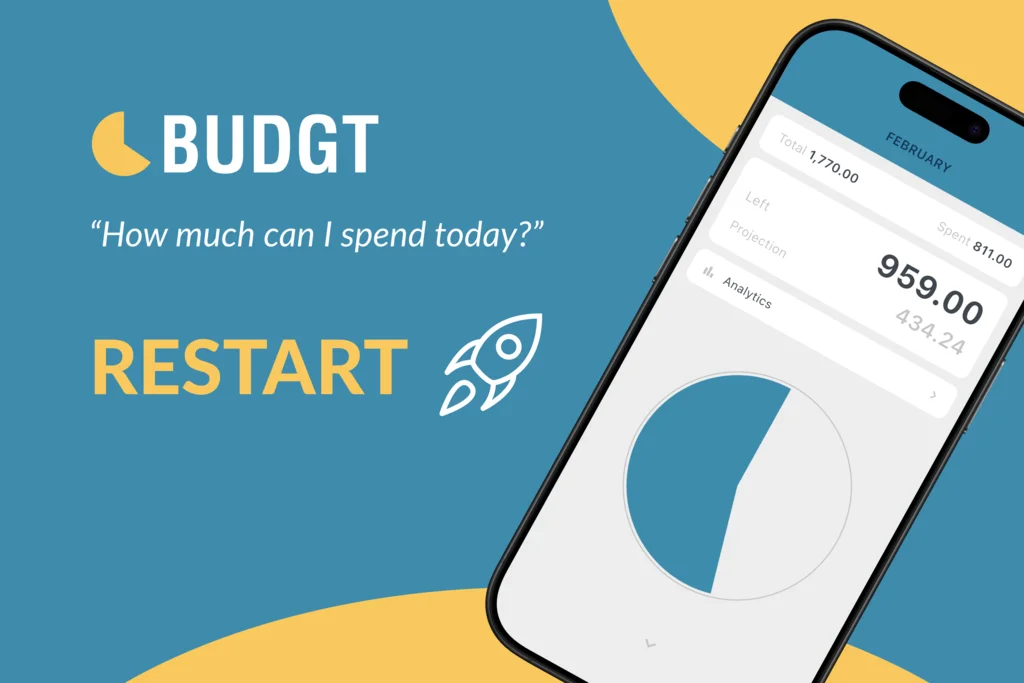
In 2013, I was a student who couldn’t answer a simple question: “Can I afford lunch today without going broke before rent is due?”
Every budgeting app I tried wanted me to connect my bank, set up dozens of categories, or learn an entirely new system. I just wanted one number — what I could safely spend today.
So I built BUDGT.
Thirteen years later, that same app has helped thousands of people answer that daily question. But the original codebase — written when I was learning iOS development — couldn’t support the features users had been asking for. So I made a decision: rebuild everything from scratch.
Today, I’m excited to share BUDGT 13 — a complete ground-up rewrite with a fresh design, powerful new features, and the same privacy-first philosophy that made BUDGT work.
The Same App, Completely Rebuilt
Let me be clear about what this update is and isn’t:
| What Stayed the Same | What’s New |
|---|---|
| Same App Store listing (no new download) | Complete visual redesign |
| Same subscription (no repurchasing) | Analytics dashboard |
| Same privacy (100% offline) | Category spending targets |
| Same daily budget philosophy | Category detail views |
| All existing features | Favorite Places |
| Your expense history (auto-migrated) | Home screen widgets |
| German, French, Italian, Spanish support | |
| Improved onboarding |
If you’re an existing user, you don’t need to do anything. The update arrives automatically, your data migrates seamlessly, and you’ll see a “What’s New” screen explaining the changes.
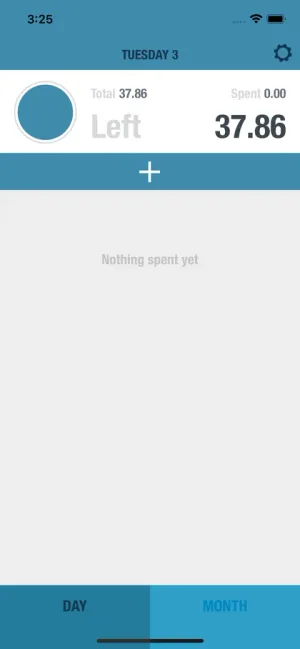
What’s New in BUDGT 13
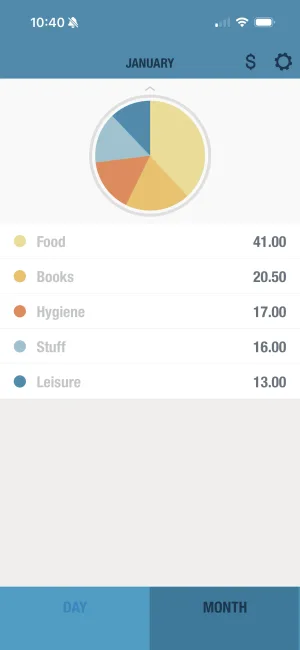
Analytics Dashboard
This is the feature users have requested most over the past five years: “I track my spending every day, but I can’t see patterns.”
Now you can.
The new analytics dashboard shows you:
| Insight | What It Tells You |
|---|---|
| Spending Pace | Are you on track this month? Visual comparison of where you are vs where you should be |
| vs Last Month | Instant context — spending more or less than last month at this point? |
| Day-of-Week Analysis | Hidden patterns revealed — most people spend more on weekends than they realize |
| Top Expenses | Your biggest purchases this month, ranked |
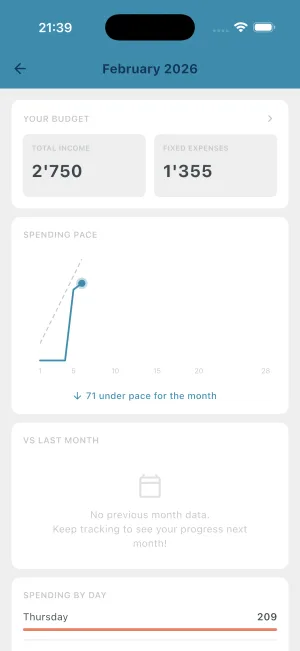
Understanding your patterns is the first step to changing them. If you discover you spend 40% more on Saturdays, you can plan for it — or consciously reduce it.
Category Detail & Targets
Your overall daily budget keeps you on track, but sometimes you need finer control. Are you overspending on dining out? Is your “just groceries” turning into impulse purchases?
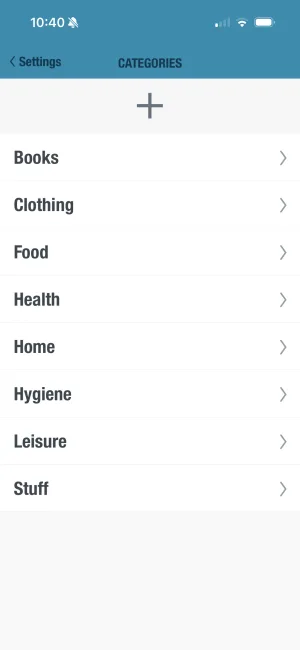
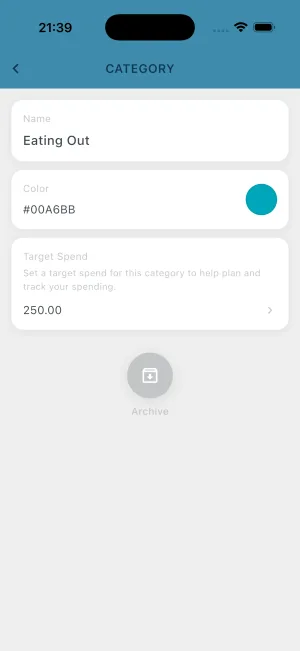
Category targets let you set spending limits for individual categories:
- Set a target for any category (or leave it unlimited)
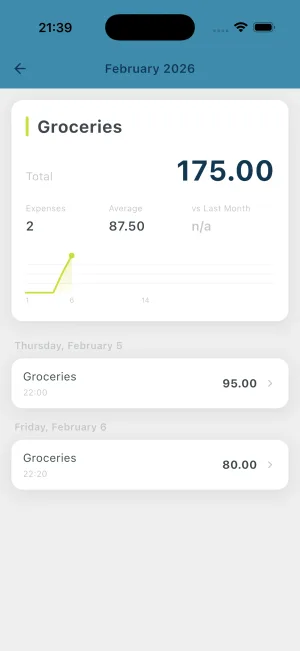
- Tap into any category to see every expense, running totals, and progress vs target
- Get category-specific feedback without losing the simplicity of one daily number
This is optional — if you prefer BUDGT’s original simplicity, you can ignore category targets entirely. But if you’ve been wanting more visibility into where your money goes, this is for you.
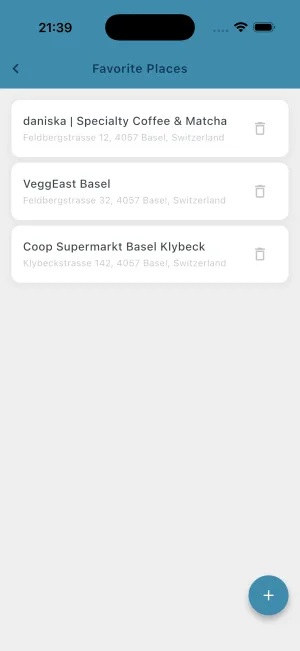
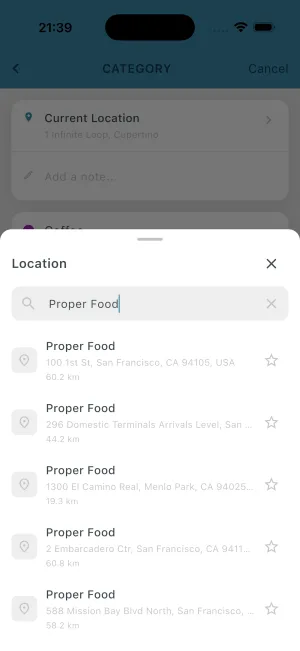
Favorite Places
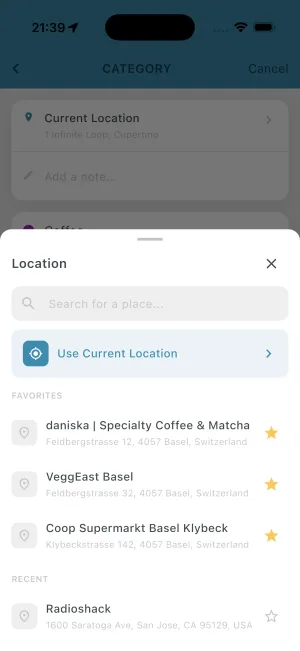
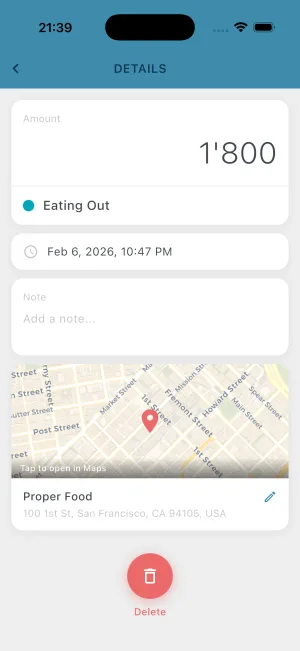
BUDGT now remembers where you spend. Mark your regular spots as favorites — your coffee shop, grocery store, gym — and log expenses even faster.
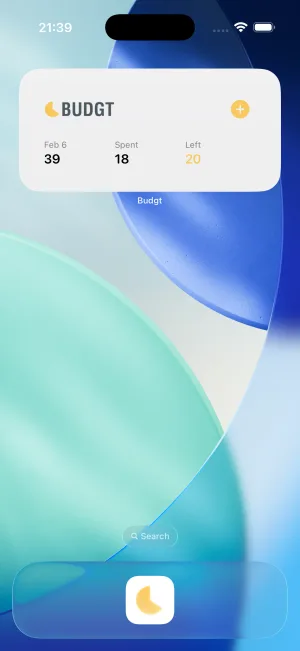
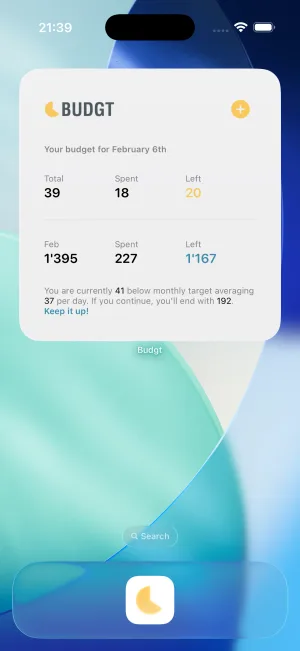
Home Screen Widgets
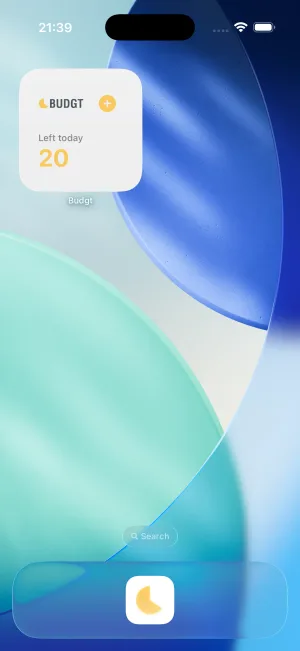
See your daily budget without opening the app. The new iOS widgets show your remaining budget right on your home screen — a constant, gentle reminder of where you stand.
Improved Onboarding
New users now get a guided setup experience with clear “getting started” tasks. The goal: get to your first daily budget in under two minutes, with an understanding of how the app works.
Fresh Design
Every screen has been redesigned with a modern aesthetic while keeping the clarity that makes BUDGT work. The color system (blue → yellow → orange → red) remains the same — you’ll still know instantly if you’re on track.
How Your Data Migrates
If you’re an existing user, you might be wondering: what happens to my years of expense data?
Here’s the short answer: everything transfers automatically.
Update arrives
You'll receive BUDGT 13 through your normal App Store updates. No action needed.
Automatic migration
On first launch, the app migrates all your data — expenses, categories, settings, even geotagged locations. You'll see a progress screen.
What's New screen
After migration completes, you'll see a brief overview of what's new. Then you're back to budgeting.
The technical details (for those curious): The new version reads your existing database directly and transfers every record to the new format. I built seven different test scenarios covering edge cases — archived categories, recurring entries with gaps, multi-year histories — to ensure nothing gets lost.
This was actually the most time-consuming part of the rebuild. Getting new features right is one thing; ensuring zero data loss for thousands of existing users is another.
What Didn’t Change (And Never Will)
Some things about BUDGT are non-negotiable:
100% Offline, No Exceptions
Your financial data never leaves your device. There’s no cloud sync, no account creation, no server that could be breached. I literally cannot see your data — it doesn’t exist anywhere except your phone.
No Bank Connection
BUDGT doesn’t connect to your bank. You manually log expenses. This might seem like a limitation, but research consistently shows that manual entry makes you more aware of your spending. The friction is the feature.
The Daily Budget Philosophy
The core idea hasn’t changed: take your monthly income, subtract your fixed expenses and savings goal, divide by the days in the month. You get one number — your daily budget. Stay under it, and you’ll have money left at month’s end.
Everything else in BUDGT exists to support this simple premise.
Why Rebuild After 13 Years?
This is the question I get most often. The app was working. People were using it. Why start over?
The honest answer: the original code couldn’t support what users were asking for.
When I built BUDGT in 2013, I was learning iOS development. The architecture made sense for what the app was then, but it wasn’t designed for features like analytics dashboards or category-level insights.
For years, I tried adding these features incrementally. Every attempt hit walls. The code was too tightly coupled, the data model too rigid. I spent more time fighting the architecture than building features.
So I made the call: start fresh with a modern foundation that can support BUDGT for the next decade.
The rebuild took months. It was scary — I had to ensure every user’s data migrated perfectly. But it was the right decision. The analytics dashboard, category targets, and everything else users have been asking for? They exist because of this rebuild.
And importantly, the new architecture means future features can be built on solid ground, not bolted onto aging code.
What’s Coming Next
The rebuild opens doors that were previously closed — and we’re already walking through them:
| Feature | Status |
|---|---|
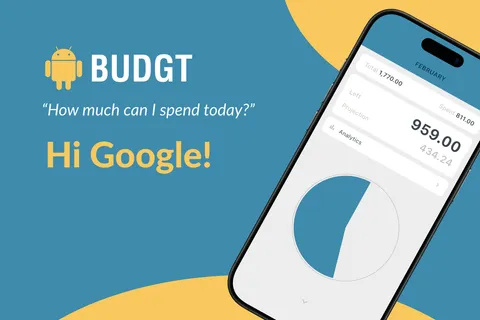
| Android version | Coming in 2-3 weeks (currently in testing) |
| Languages | English, German, Spanish, French, Italian — all live |
| iOS Widgets | Already live on home screen |
| Apple Watch | Coming soon |
| More analytics insights | Based on user feedback |
The Flutter foundation makes cross-platform development possible for the first time in BUDGT’s history. Android users won’t have to wait much longer.
Try It Today
If you’re already a BUDGT user, update through the App Store and explore what’s new.
If you’re new to BUDGT, here’s what you’re getting:
- One daily number that tells you what’s safe to spend
- Color-coded feedback — blue is good, red means stop
- Analytics that reveal your spending patterns
- Category targets for finer control (optional)
- 100% offline — your data stays yours
- No bank connection — manual entry, mindful spending
- Free trial with full functionality
After 13 years and thousands of users, I still believe the daily budget is the simplest way to stay on track financially. BUDGT 13 makes it even better.
Download BUDGT on the App Store
Have questions about the update? Found something that doesn’t work right? I read every piece of feedback — reach out through the app or leave a review on the App Store.
Frequently Asked Questions
What is BUDGT 13?
BUDGT 13 is a complete rebuild of the original BUDGT daily budgeting app, named for its 13-year history on the App Store. Every line of code was rewritten and every screen redesigned, while keeping the core philosophy: show you one number — what you can safely spend today.
Do I need to do anything to get the update?
No. If you already have BUDGT installed, you'll receive the update automatically through the App Store. Your existing data will be migrated seamlessly.
Will I lose my expense history?
No. All your existing expenses, categories, settings, and even geotagged locations are automatically migrated to the new version. We built extensive testing to ensure zero data loss.
What new features are in BUDGT 13?
The major additions include an analytics dashboard, category spending targets, category detail views, favorite places, home screen widgets, support for German, French, Italian, and Spanish (previously English only), and an improved onboarding experience.
Is BUDGT still 100% offline?
Yes. BUDGT remains 100% offline with no cloud sync, no bank connections, and no tracking. All your data stays on your device.
Does BUDGT connect to my bank account?
No. BUDGT does not connect to bank accounts. You manually log expenses, which research shows actually makes you more mindful of spending.
Is BUDGT available on Android?
BUDGT is currently iOS only. The Flutter rebuild opens the door for Android in the future — stay tuned for updates.
Related Articles


Ready to take control of your budget?
Download BUDGT and start tracking your daily spending today.