Family Budget Tips: 6 Simple Steps to Save More and Stress Less

Managing money as a family can be tough, especially on a tight budget. Between grocery runs, utility bills, kids’ activities, and unexpected expenses, it can feel like money disappears faster than it comes in.
But here’s the good news: you don’t need a huge income to build financial security. What you need is a system—a clear plan that everyone understands and can follow.
This guide gives you six proven steps to take control of your family finances, save more money, and reduce the stress that comes with living paycheck to paycheck.
Why Family Budgeting Matters More Than Ever
The average American family spends $5,577 per month, according to the Bureau of Labor Statistics. But averages hide reality—many families struggle to make ends meet while others overspend without realizing it.
| Challenge | Without Budget | With Budget |
|---|---|---|
| Grocery overspending | $200-400/month wasted | Controlled, planned spending |
| Impulse purchases | Constant money leaks | 24-hour rule prevents regret |
| Emergency expenses | Credit card debt | Emergency fund handles it |
| Kids’ activities | Overcommitted and stressed | Prioritized and affordable |
| Family arguments | Money fights common | Shared plan reduces conflict |
A family budget isn’t about restriction—it’s about intention. When everyone knows the plan, decisions become easier and stress decreases.
The 6-Step Family Budget System
Track Your Income and Expenses
Know exactly where every dollar goes. Track all income sources and expenses for 30 days to establish your baseline.
Prioritize Your Essentials
Cover must-pay bills first: housing, utilities, food, transportation. These non-negotiables come before anything else.
Create Your Family Savings Plan
Even small amounts add up. Set achievable savings goals and automate them so saving happens without thinking.
Reduce Unnecessary Spending
Find the money leaks in your budget. Small changes in daily habits free up hundreds each month.
Budget for Family Fun
Fun doesn't have to be expensive. Plan affordable activities and treats so budgeting doesn't feel like punishment.
Review and Adjust Regularly
Life changes, and so should your budget. Weekly check-ins and monthly reviews keep you on track.
Step 1: Track Your Income and Expenses
You can’t fix what you can’t see. The first step to saving money is knowing exactly where it goes.
All Income Sources
| Income Type | Examples | Notes |
|---|---|---|
| Primary income | Salary, wages | After-tax take-home pay |
| Secondary income | Part-time job, freelance | Variable amounts |
| Government benefits | Child support, assistance | Regular or irregular |
| Other income | Side gigs, cash work | Don’t forget to count it |
The 30-Day Tracking Challenge
| Week | Focus | What You’ll Learn |
|---|---|---|
| Week 1 | Log everything | Where money actually goes |
| Week 2 | Categorize spending | Which areas drain your budget |
| Week 3 | Identify patterns | Emotional and habitual spending |
| Week 4 | Find the leaks | ”Invisible” spending to cut |
Common Family Spending Surprises
What Families Think vs. Actually Spend (Monthly)
Most families underestimate their spending by 20-40%. Tracking reveals the truth.
Step 2: Prioritize Your Essentials
Before spending on wants, make sure needs are covered. Here’s how to prioritize:
The Essential Bills Checklist
| Category | Examples | Priority Level |
|---|---|---|
| Housing | Rent/mortgage, property tax | Critical |
| Utilities | Electric, water, gas, internet | Critical |
| Food | Groceries (not dining out) | Critical |
| Transportation | Gas, car payment, insurance | Critical |
| Healthcare | Insurance, medications | High |
| Childcare | Daycare, after-school | High |
| Minimum debt payments | Credit cards, loans | High |
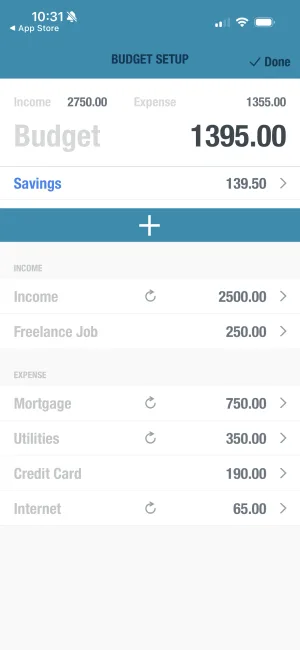
Sample Family Budget Allocation
Realistic Family Budget Split


Step 3: Create Your Family Savings Plan
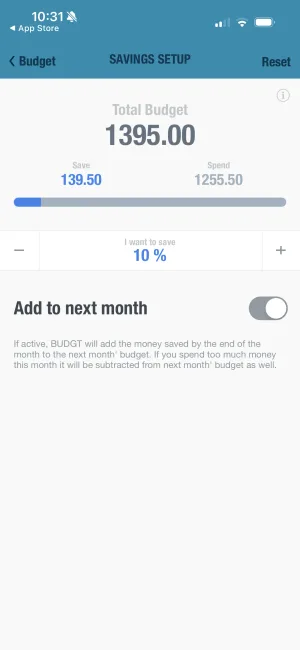
Saving money may seem impossible on a tight budget, but even small amounts compound over time.
The Family Savings Ladder
| Stage | Target | Purpose | Timeline |
|---|---|---|---|
| Starter | $500 | Cover small emergencies | 2-3 months |
| Basic | $1,000 | Handle most car repairs | 4-6 months |
| Stable | 1 month expenses | Short-term job loss buffer | 8-12 months |
| Secure | 3 months expenses | Real financial security | 1-2 years |
Family Savings Strategies
| Strategy | Savings Potential | Effort Level |
|---|---|---|
| Pack lunches instead of buying | $150-300/month | Medium |
| Cancel unused subscriptions | $50-100/month | Low |
| Meal plan weekly | $100-200/month | Medium |
| Use library instead of buying books/movies | $30-50/month | Low |
| Host potlucks instead of dining out | $100-150/month | Low |
| Buy generic brands | $50-100/month | Low |
Calculate Your Family Savings Goal
Family Emergency Fund Calculator
Your housing payment
Electric, water, gas, internet
Food for your family
Gas, car payment, insurance
Enter your numbers above - results update automatically
This is your target for a one-month emergency fund. Start with $500, then build from there.
Step 4: Reduce Unnecessary Spending
Finding money leaks in your family budget can free up hundreds each month. Here’s where to look:
The Family Expense Audit
| Category | Questions to Ask | Typical Savings |
|---|---|---|
| Subscriptions | Do we use it weekly? | $50-150/month |
| Dining out | Could we cook this at home? | $100-300/month |
| Groceries | Are we buying brands or generic? | $50-100/month |
| Kids’ activities | Are they all necessary? | $50-200/month |
| Utilities | Can we reduce usage? | $30-50/month |
| Entertainment | Are there free alternatives? | $50-100/month |
The Subscription Audit
| Subscription | Monthly Cost | Used Weekly? | Action |
|---|---|---|---|
| Netflix | $15-23 | Yes/No | Keep/Cancel |
| Disney+ | $8-14 | Yes/No | Keep/Cancel |
| Spotify | $11-17 | Yes/No | Keep/Cancel |
| Amazon Prime | $15 | Yes/No | Keep/Cancel |
| Gym membership | $30-50 | Yes/No | Keep/Cancel |
| Gaming services | $10-15 | Yes/No | Keep/Cancel |
Rule of thumb: If you don’t use it weekly, cancel it. You can always re-subscribe later.
Potential Monthly Savings for Families
Step 5: Budget for Family Fun
Saving money doesn’t mean eliminating fun. In fact, budgeting for enjoyment makes the whole system sustainable.
Free and Low-Cost Family Activities
| Activity | Cost | Age Range | Season |
|---|---|---|---|
| Park picnics | $0-15 | All ages | Spring/Summer/Fall |
| Library programs | $0 | All ages | Year-round |
| Hiking trails | $0 | 5+ | Spring/Summer/Fall |
| Beach days | $0-10 | All ages | Summer |
| Game nights | $0 | 5+ | Year-round |
| Bike rides | $0 | 5+ | Spring/Summer/Fall |
| Stargazing | $0 | All ages | Year-round |
| Cooking together | $10-20 | 3+ | Year-round |
| Backyard camping | $0 | 5+ | Summer |
| Community events | $0-10 | All ages | Varies |
Budget-Friendly Family Treats
| Treat | Typical Cost | Budget Alternative | Savings |
|---|---|---|---|
| Movie theater | $50-80 | Home movie night | $40-70 |
| Restaurant dinner | $60-100 | Special home-cooked meal | $40-80 |
| Theme park | $200-400 | Local fair/festival | $150-350 |
| Vacation | $2,000+ | Staycation or camping | $1,500+ |
The Family Fun Fund
Set aside a specific amount each month for family fun. This removes guilt from spending on enjoyment.
| Income Level | Suggested Fun Budget | Weekly Amount |
|---|---|---|
| Tight budget | $50-100/month | $12-25/week |
| Moderate budget | $100-200/month | $25-50/week |
| Comfortable budget | $200-400/month | $50-100/week |
Step 6: Review and Adjust Regularly
A budget isn’t a set-it-and-forget-it document. Life changes, and your budget should too.
The Family Budget Review Schedule
| Frequency | Time | Focus |
|---|---|---|
| Daily | 2-3 minutes | Log expenses |
| Weekly | 15-20 minutes | Review week’s spending, plan ahead |
| Monthly | 30-45 minutes | Analyze categories, adjust next month |
| Quarterly | 1 hour | Big picture review, update goals |
| Annually | 2-3 hours | Major life changes, next year planning |
Weekly Family Money Meeting Agenda (15 minutes)
| Item | Time | Purpose |
|---|---|---|
| Wins celebration | 3 min | What went well this week? |
| Challenge review | 3 min | What was hard? |
| Upcoming expenses | 3 min | What’s coming this week? |
| Goal check-in | 3 min | How’s our savings progress? |
| Questions/concerns | 3 min | Anything to discuss? |
Signs Your Budget Needs Adjusting
| Sign | Likely Cause | Solution |
|---|---|---|
| Constantly over budget | Unrealistic limits | Adjust to match reality |
| Categories always wrong | Poor categorization | Revise category structure |
| Feeling deprived | Budget too tight | Add flexibility |
| Not saving anything | Savings too low priority | Pay yourself first |
| Family arguments | Unclear expectations | Better communication |
Involving Kids in the Family Budget
Teaching kids about money is one of the greatest gifts you can give them. Here’s how to make it age-appropriate:
Age-Appropriate Money Lessons
| Age | Concepts to Teach | Activities |
|---|---|---|
| 3-5 | Coins have value, waiting for things | Piggy bank, simple choices |
| 6-8 | Earning money, saving for goals | Small allowance, goal setting |
| 9-12 | Budgeting basics, comparison shopping | Own category to manage, grocery math |
| 13-15 | Income vs. expenses, opportunity cost | Budget their activities, part-time work |
| 16+ | Real-world finances, credit, long-term saving | Manage phone bill, car expenses |
The Family Grocery Challenge
Turn grocery shopping into a learning opportunity:
- Give kids a category budget (snacks: $15)
- Let them compare prices and make choices
- Celebrate staying under budget
- Discuss trade-offs they made
This teaches budgeting through real experience.
Your 90-Day Family Budget Plan
| Timeframe | Focus | Milestone |
|---|---|---|
| Days 1-7 | Set up tracking, gather all bills | Know your starting point |
| Days 8-14 | Track all expenses, no changes | Understand current spending |
| Days 15-30 | Create budget, identify cuts | First month’s plan complete |
| Days 31-60 | Implement budget, weekly reviews | Building new habits |
| Days 61-90 | Refine and adjust, start saving | $200-500 saved |
Family Budget Success Checklist
| Milestone | Target |
|---|---|
| All income sources identified | ✓ |
| 30 days of expenses tracked | ✓ |
| Budget categories created | ✓ |
| Emergency fund started | ✓ |
| Weekly review scheduled | ✓ |
| Kids involved (age-appropriate) | ✓ |
| Fun budget allocated | ✓ |
From Financial Stress to Family Security
Budgeting on a tight income isn’t easy, but with a clear plan, you can take control of your family’s finances.
The key is consistency, not perfection. Some weeks will be harder than others. Some unexpected expenses will throw you off. That’s normal.
What matters is getting back on track, reviewing your progress, and making small improvements over time.
Start today with step one: track your spending for the next 30 days. Once you know where your money goes, you can decide where it should go instead.
Your family’s financial security is built one smart decision at a time.
Frequently Asked Questions
How much should a family on a tight budget try to save each month?
Start with whatever you can afford, even if it's just $10-20 per week. The important thing is building the savings habit consistently. As you cut unnecessary expenses and stick to your budget, you can gradually increase your savings. Even small amounts add up over time and create a financial safety net.
Can both parents use BUDGT to manage the family budget together?
BUDGT is designed for individual use on iOS devices and doesn't have cloud sync or multi-user features. However, one parent can manage the family budget using BUDGT on their iPhone, then share updates with their partner regularly. The app's CSV export feature makes it easy to review spending together.
What's the 50/30/20 rule and does it work for tight budgets?
The 50/30/20 rule suggests 50% for essentials, 30% for wants, and 20% for savings. However, on a tight budget, your split might look more like 70% essentials, 20% wants, and 10% savings. The key is prioritizing essentials first, then adjusting the percentages to fit your actual income using BUDGT's Categories feature.
How can BUDGT's daily budget approach help families save more?
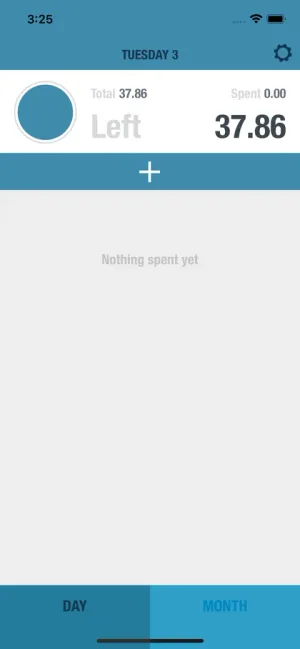
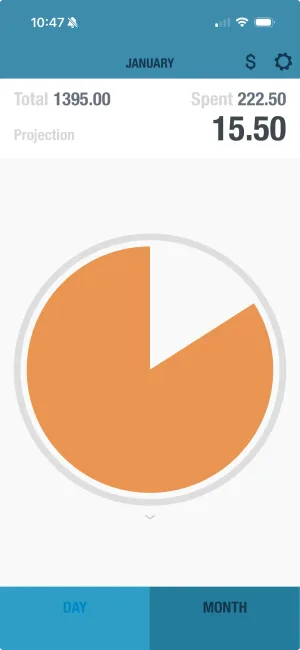
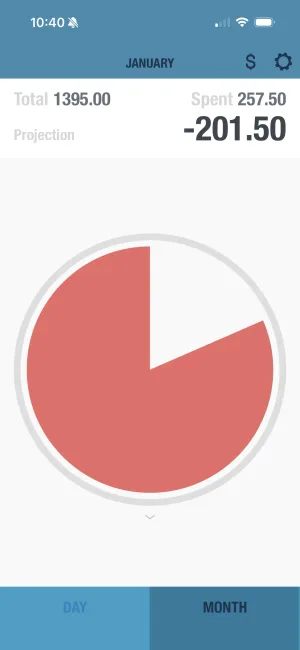
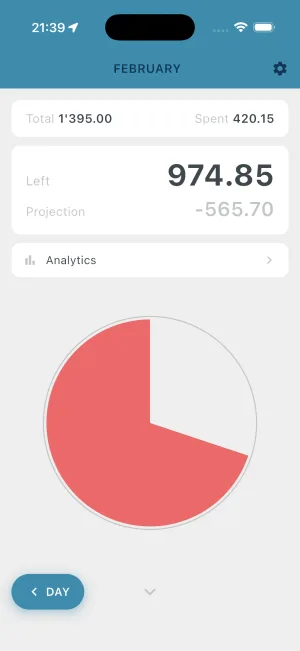
BUDGT's philosophy is simple: stick to your daily limit, and you'll have money left at month's end. Instead of overwhelming monthly goals, you focus on just today's spending. This makes budgeting feel manageable for busy families. The app calculates your daily limit based on your income and bills, showing exactly what you can spend each day.
What family expenses should we track in BUDGT?
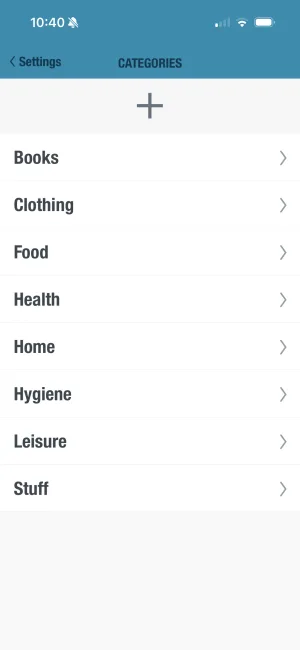
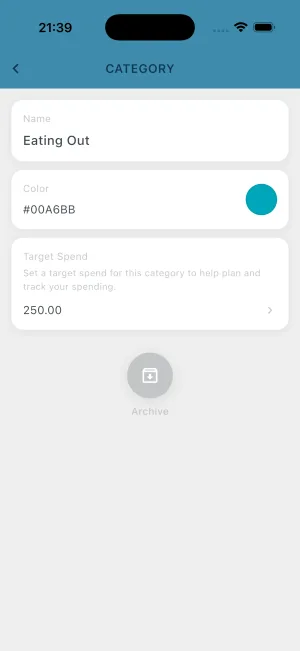
Track all variable expenses like groceries, gas, entertainment, dining out, and impulse purchases. BUDGT's Categories feature lets you organize spending by type. Fixed expenses like rent and utilities are factored into your daily budget calculation but don't need daily tracking. The Geotagging feature even helps you see where you're spending money geographically.
How do we budget for irregular family expenses like back-to-school shopping?
Use BUDGT's Savings Mode to set aside money for planned irregular expenses. By saving a small amount daily toward these predictable costs, you'll have the money when you need it without derailing your monthly budget. This works great for back-to-school, holiday shopping, annual insurance payments, and seasonal expenses.
What if unexpected expenses keep ruining our family budget?
Build a small emergency buffer using BUDGT's Savings Mode feature. Even saving $5-10 per week creates a cushion for unexpected costs like car repairs or medical bills. The app's Day Weight feature also helps by adjusting your daily budget based on different spending patterns throughout the month, giving you flexibility when you need it.
How do I get my kids involved in family budgeting?
Start with age-appropriate lessons. Young kids can help with grocery shopping by comparing prices. Tweens can manage a small allowance using a visual system. Teens can track their own spending. Make it a family activity by holding weekly money meetings where everyone shares wins and challenges.
What's the biggest mistake families make with budgeting?
The biggest mistake is creating an unrealistic budget that's too restrictive. When budgets are too tight, families give up after a few weeks. Start by tracking actual spending for 30 days, then create a budget based on reality. Build in some flexibility for treats and unexpected expenses to make the budget sustainable.
How often should we review our family budget?
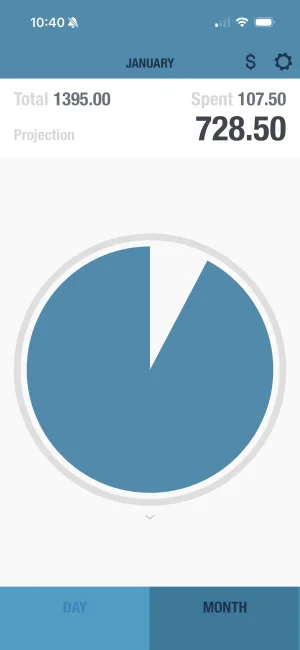
Do a quick daily check (2-3 minutes) to log expenses. Weekly, spend 15-20 minutes reviewing the week's spending. Monthly, do a deeper review to see what worked, what didn't, and adjust the next month's plan. This regular attention prevents small problems from becoming big ones.
Related Articles



Ready to take control of your budget?
Download BUDGT and start tracking your daily spending today.