Privacy-First Expense Tracking: Why Your Financial Data Matters
You probably wouldn’t hand a stranger your bank statements, credit card bills, and a list of everywhere you’ve shopped for the past year.
But that’s exactly what happens when you connect a budgeting app to your bank account.
Most people don’t read privacy policies. Most budgeting apps count on that.
What Budgeting Apps Know About You
When you connect your bank account to a budgeting app, here’s what they can access:
| Data Type | What It Reveals |
|---|---|
| Transaction history | Every purchase, payment, transfer |
| Income deposits | How much you earn, when you get paid |
| Recurring payments | Your subscriptions, bills, debts |
| Location data | Where you shop (from merchant names) |
| Spending patterns | When you’re stressed, celebrating, struggling |
| Account balances | Your complete financial picture |
This isn’t just metadata — it’s a comprehensive profile of your life told through money.
What Happens to Your Data
The Business Model Problem
Many popular budgeting apps are free. But running an app costs money — servers, developers, customer support. So how do they pay for it?
Your data is the product.
| Revenue Source | How Your Data Is Used |
|---|---|
| Advertising | Targeted ads based on spending habits |
| Data sales | Sold to financial institutions, insurers, data brokers |
| Partner referrals | ”Recommended” products based on your finances |
| Credit offers | Pre-qualified offers using your financial profile |
| Research sales | Aggregated spending trends sold to investors, retailers |
Real Examples
- Spending pattern analysis — Apps can tell when you’re likely to overspend and target you with “solutions”
- Financial stress indicators — Low balances, overdrafts, and payday timing are tracked
- Purchase predictions — Your data helps advertisers predict what you’ll buy next
- Credit scoring — Some data ends up influencing your creditworthiness
The “Anonymized” Data Myth
Apps often claim they only share “anonymized” or “aggregated” data. Here’s why that’s less reassuring than it sounds:
| Claim | Reality |
|---|---|
| ”We anonymize data” | Studies show financial data can often be re-identified |
| ”We only share aggregates” | Aggregates still inform targeting strategies |
| ”We don’t sell data” | They may “share” it with “partners” instead |
| ”You can opt out” | Opt-out is often buried, partial, or ineffective |
Research has shown that just 4 random credit card transactions can identify a specific person with 90% accuracy. Your “anonymous” data may not be as anonymous as you think.
The Convenience Trade-Off
Automatic bank syncing is convenient. You don’t have to log purchases manually. Everything appears in your app like magic.
But consider what you’re trading:
| Convenience | Privacy Cost |
|---|---|
| Auto-import transactions | Complete transaction history shared |
| Automatic categorization | Spending patterns analyzed |
| Balance syncing | Real-time financial picture exposed |
| Bill detection | Recurring expenses and debts revealed |
| Insights and trends | Data used to profile you |
Is saving 2 minutes of daily logging worth giving up your financial privacy?
The Case for Manual Tracking
Beyond privacy, manual expense tracking has psychological benefits:
The Awareness Effect
| Auto-Tracking | Manual Tracking |
|---|---|
| Passive — you review later | Active — you engage in the moment |
| Easy to ignore | Creates a mental checkpoint |
| Spending feels abstract | Spending feels real |
| No friction | Healthy friction |
Studies show that people who manually track expenses spend less and feel more in control. The act of logging creates awareness that automatic imports don’t.
The 30-Second Investment
Manual logging doesn’t have to be time-consuming:
| Task | Time |
|---|---|
| Open app | 2 seconds |
| Enter amount | 3 seconds |
| Select category | 2 seconds |
| Done | ~10 seconds per expense |
Most people make 3-5 purchases per day. That’s 30-50 seconds of logging for complete privacy and better spending awareness.
What to Look for in a Private Budgeting App
Green Flags
| Feature | Why It Matters |
|---|---|
| Local storage only | Data stays on your device |
| No account required | No cloud = no data collection |
| No bank connections | No access to transaction history |
| Works offline | Doesn’t need internet = doesn’t send data |
| One-time purchase | Paid apps don’t need to monetize your data |
| Clear privacy policy | States exactly what’s collected (nothing) |
Red Flags
| Warning Sign | What It Means |
|---|---|
| ”Free” with no clear business model | You’re the product |
| Requires account creation | Data collection likely |
| Pushes bank connection | Wants your transaction data |
| Vague privacy policy | Hiding something |
| ”Partners” mentioned | Data sharing likely |
| Personalized ads | Your data is being used |
Privacy Comparison
Data Exposure by App Type
The only truly private option is an app that stores data locally, requires no account, and has no bank connections.
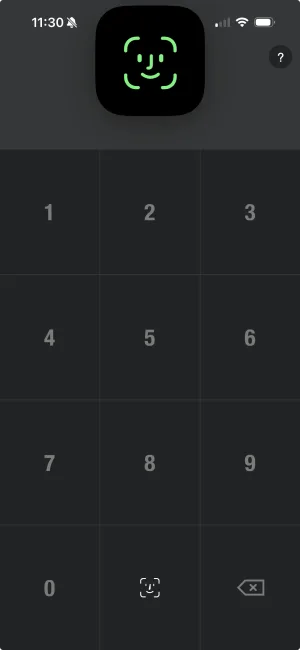
How BUDGT Protects Your Privacy
| Feature | Privacy Benefit |
|---|---|
| 100% local storage | Data never leaves your device |
| No account required | Nothing to hack, nothing to leak |
| No bank connection | Your transactions stay private |
| Works offline | No data transmission |
| One-time purchase | No incentive to monetize your data |
| No analytics SDK | We don’t track how you use the app |
| No ads | No advertising partners |
Making the Switch
If you’re currently using a bank-connected app:
Step 1: Export Your Data
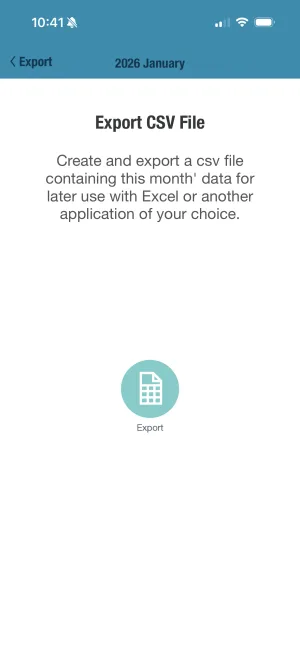
Most apps let you export transactions as CSV. Do this before switching.
Step 2: Revoke Bank Access
- Go to your bank’s website/app
- Find “Connected Apps” or “Third-Party Access”
- Remove the budgeting app’s access
Step 3: Delete Your Account
If the app required an account, request account deletion. This should trigger data deletion under privacy laws.
Step 4: Start Fresh with Manual Tracking
You don’t need your old data to budget effectively. Start tracking from today forward.
The Privacy Mindset
Your financial data tells a story:
- Where you live (from rent/mortgage payments)
- What you value (from where you spend)
- Your health (from pharmacy and doctor visits)
- Your struggles (from late fees and overdrafts)
- Your relationships (from shared expenses)
- Your vices (from patterns others might judge)
This information is intimate. It deserves protection.
Convenience is nice. Privacy is essential.
The Bottom Line
The biggest budgeting apps are free because they monetize your data. Every transaction you import becomes part of a profile that’s sold, shared, and used to target you.
Manual expense tracking takes slightly more effort — but you get:
- Complete privacy
- Better spending awareness
- No data collection
- No advertising influence
- Full control of your financial information
Your money is personal. Your budget should be too.
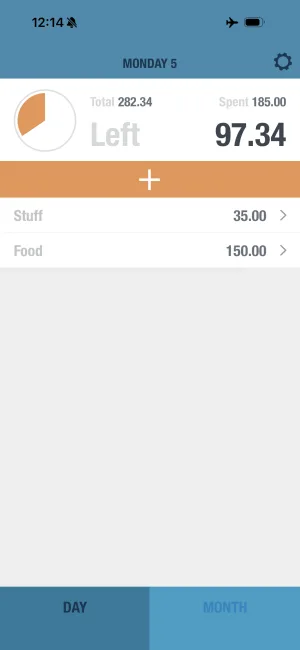
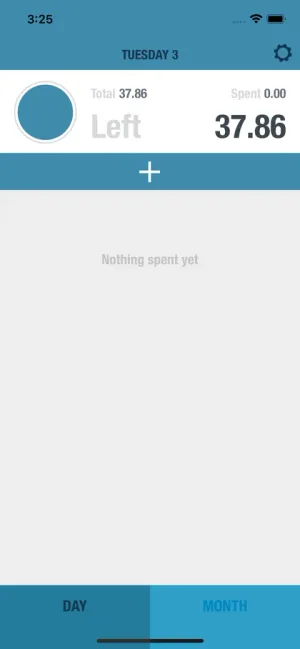
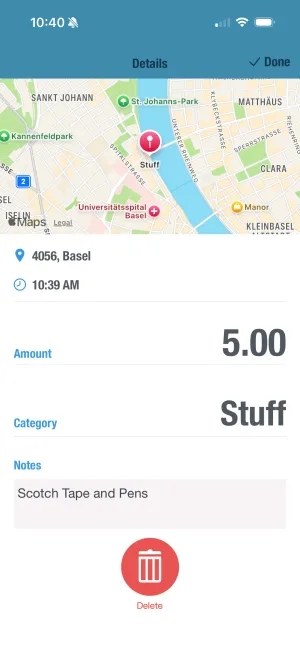
Want to track your spending without giving up your privacy? BUDGT stores everything on your device — no accounts, no bank connections, no data collection. Just simple, private budgeting.
Frequently Asked Questions
Why do budgeting apps want access to my bank account?
Bank connections let apps automatically import transactions, which is convenient. But they also give the app (and its partners) access to your complete financial picture — where you shop, what you buy, how much you earn. This data is valuable for advertising and is often sold or shared.
What do budgeting apps do with my financial data?
Many apps sell anonymized (or poorly anonymized) data to advertisers, financial institutions, and data brokers. They build profiles of your spending habits, predict your financial needs, and target you with ads. Some share data with credit bureaus or lenders.
Can I track expenses without connecting my bank?
Yes. Manual expense tracking — logging purchases yourself — gives you complete privacy and often better awareness of your spending. Apps like BUDGT work entirely offline with no bank connection required, keeping your data on your device only.
Is manual expense tracking actually better?
For privacy, absolutely. For awareness, studies show manual logging increases spending consciousness — you think twice before buying when you know you'll log it. The small effort creates a psychological checkpoint that automatic imports don't provide.
What's the most private way to track my spending?
Use an app that stores data locally on your device (not in the cloud), requires no account creation, has no bank connections, and works offline. Check the privacy policy for data sharing clauses. Avoid apps that are 'free' — they often monetize through your data.
Related Articles


Ready to take control of your budget?
Download BUDGT and start tracking your daily spending today.